Everything should be made as simple as possible, but not simpler.
— Albert Einstein
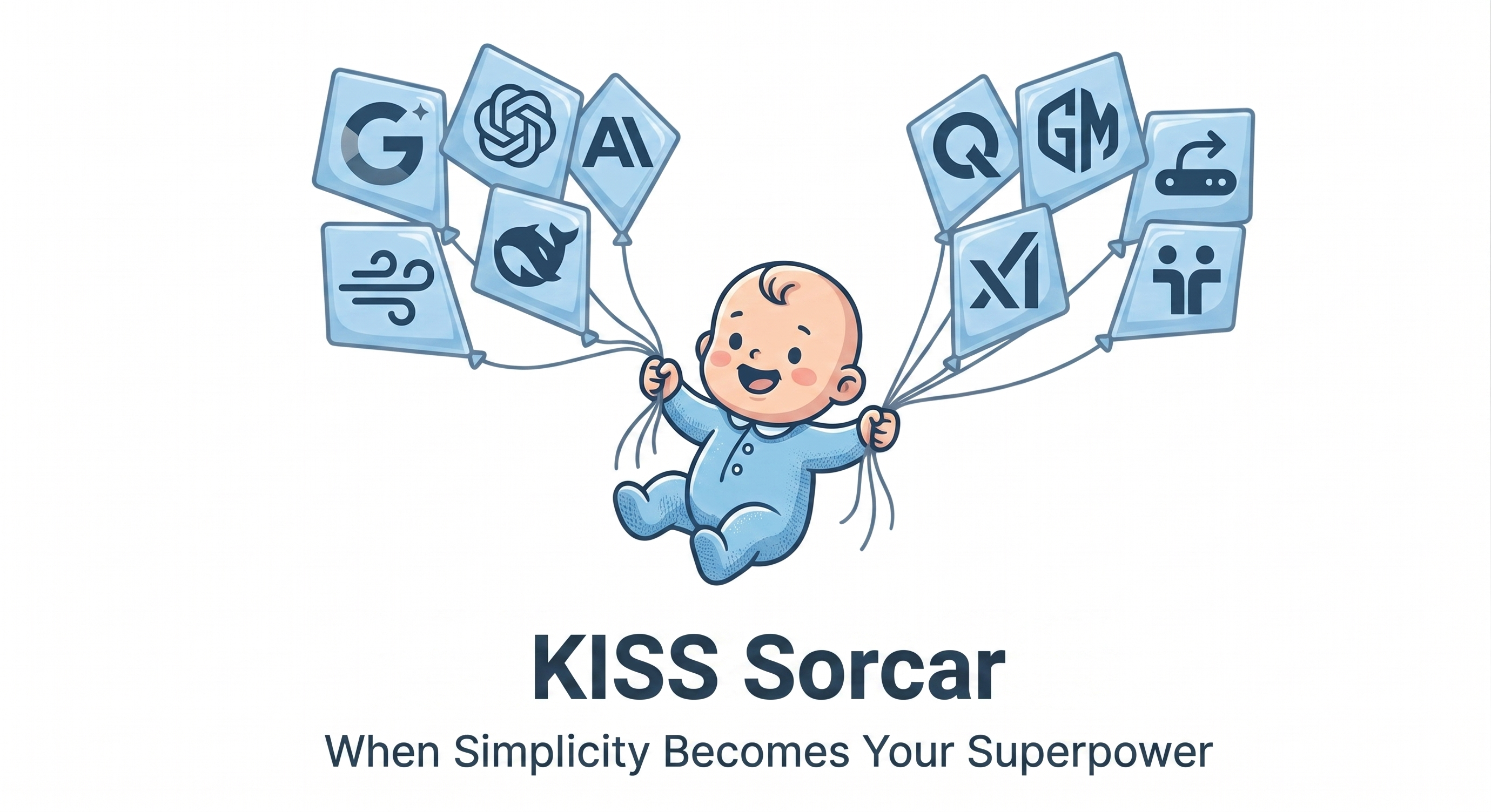
Tell it what to do, in any language and give it a concrete goal. It picks the best LLMs, runs on your laptop, and ships the work.
Apache 2.0 · open source661 models · 9 providers~3,000 lines of core agents code
KISS Sorcar is an open-source general-purpose AI agent for long-horizon tasks and AI discovery.
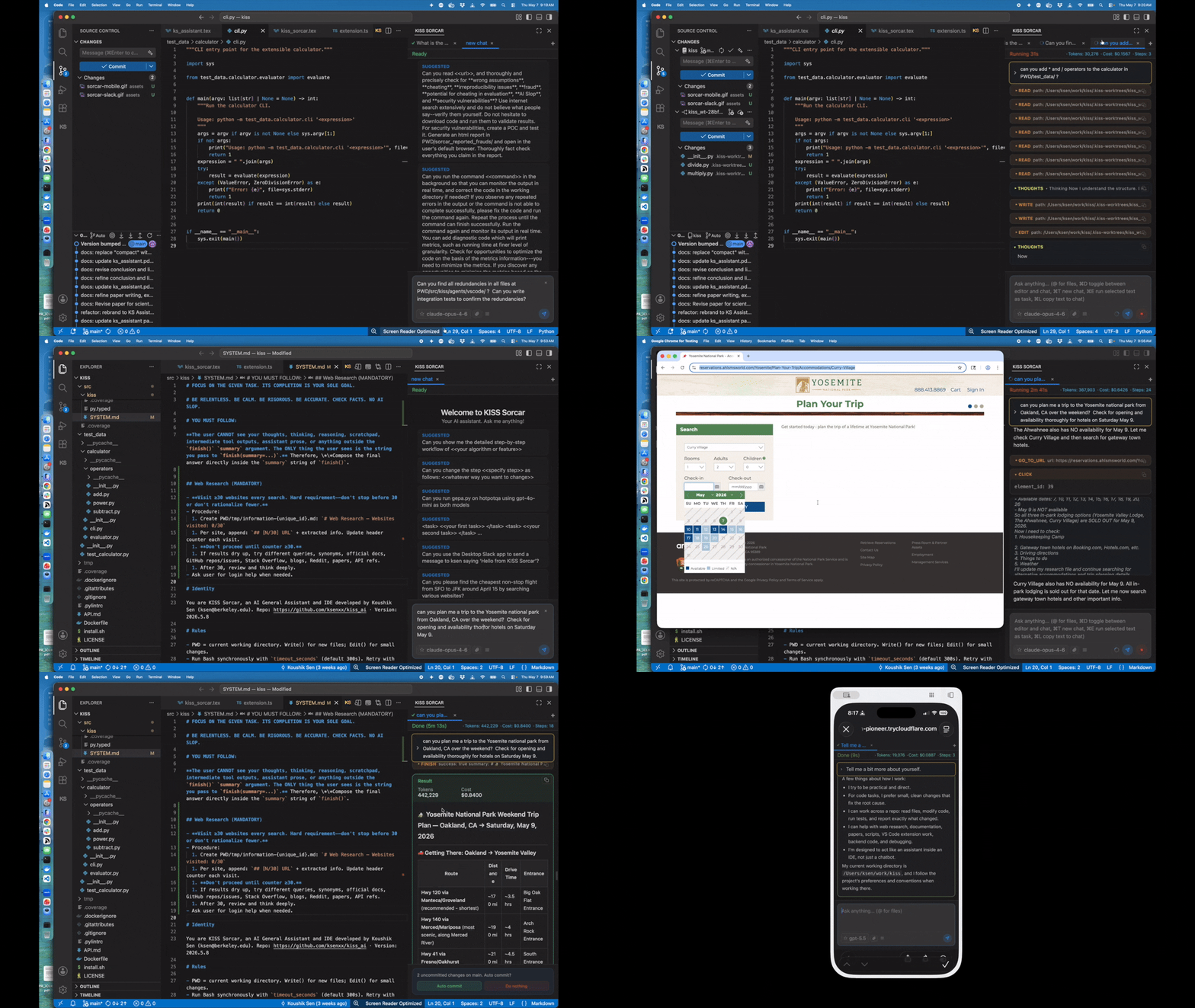
It is a simple, local-first, bring-your-own-key AI agent framework. It runs as a VS Code extension
and a browser/mobile web app, and offers a Python client API. Your prompts and code are sent directly to
the model provider or local endpoint you configure — not through our servers. It supports
multi-model workflows just via prompts. Agents run as daemons hosted by the local server (a standalone
sorcar terminal command can also run a task without the daemon). Complex AI systems/techniques
can be replaced with a paragraph of prompt in KISS Sorcar.
Full installation script
★ Recommended
Preferred way to install KISS Sorcar — macOS & Linux, one command, no extra steps.
A side-by-side look at the differences that matter for everyday use.
Capability
KISS Sorcar
Claude Code
Cursor
Interfaces
VS Code extension + web/mobile app + Python API
CLI + mobile app
Custom VS Code
AI Discovery
✓ simply via prompt
✗
✗
GEPA Prompt Optimization
✓ simply via prompt
✗
✗
Multiple models from multiple vendors in the same task
✓ Mix OpenAI, Anthropic, Gemini, Together, Z.AI, Moonshot AI, OpenRouter, Claude Code CLI, and Codex CLI
✗ Anthropic Claude models only
✗ One model per task
Primary focus
✓Quality — rigorous review, end-to-end tests
Speed and developer ergonomics
Speed
Core Agents # LoC
~3000
Unknown
Unknown
Models in bundled catalog
661 across 9 provider categories
Claude family only
Subset chosen by Cursor
Bring your own API key / endpoint
✓ Yes — keys stay on your machine
✓ Anthropic key
⚠ Routed through Cursor backend
Open source
✓ Apache-2.0
✗ Proprietary
✗ Proprietary
Price
Free framework; pay only your chosen model provider
Subscription / API usage
Subscription
Run on top of Claude Code / Codex CLI
✓cc/* and codex/* namespaces
N/A
✗
Messaging and communication channels
✓ 43 third-party agents: 32 messaging channels (Slack, Gmail, Email (IMAP/SMTP), Phone Control, SMS, WhatsApp, Home Assistant, …) plus service agents for GitHub, Notion, Postgres, Brave Search, Firecrawl, and Google Workspace
⚠ Slack, mobile Remote Control, and research-preview channels for Telegram, Discord, and iMessage; no documented built-in Gmail, WhatsApp, phone-call, or SMS channel
⚠ Slack and Microsoft Teams Cloud Agent integrations; no documented built-in Gmail, WhatsApp, phone-call, or SMS channel
Scheduled automations
✓ Natural-language cron agent
✗
✗
Wake word for voice interaction
Sorcar
N/A
N/A
§ 02 — All you need is a short prompt in KISS Sorcar to do big complex tasks
All You Need is a Short Prompt in KISS Sorcar to do Big Complex Tasks.¶
KISS Sorcar ships with a curated set of sample tasks (long-horizon prompts you can drop straight into the VS Code extension or Web app) and promptlet tricks (short reusable directives that steer Sorcar's behaviour by injecting to the prompt). The tasks live in src/kiss/SAMPLE_TASKS.md; the tricks live in src/kiss/INJECTIONS.md. You can add your tasks at ~/.kiss/MY_TASK_TEMPLATES.md and your tricks at ~/.kiss/MY_INJECTION.md.
Explain a workflow step-by-step
Task
Ask Sorcar to walk you through the detailed step-by-step workflow of any algorithm or feature in your codebase, so you can understand it before changing it.
Can you show me the detailed step-by-step workflow of <<your algorithm or feature>>
Edit a specific step of a workflow
Task
Modify a specific step of an existing workflow with a precise natural-language instruction — no need to point Sorcar at the file, it will find the right code.
Can you change the step <<specify step>> as follows: <<whatever way you want to change>>
Authenticate with a Slack workspace
Task
Have Sorcar log you into a Slack workspace so it can send and receive messages on your behalf.
Authenticate slack workspace <<workspace name>>.
Turn a Slack channel into a gateway
Task
Run a recurring gateway tick on a Slack channel so inbound messages become Sorcar tasks — with thread continuity across ticks and a pairing handshake so only approved senders can drive the agent.
Every 2 minutes, run a gateway tick on the Slack channel sorcar, with pairing.
Authenticate with Gmail
Task
Connect Sorcar to Gmail — or Google Calendar, Drive, Docs, or Sheets; the browser handles consent and Sorcar stores the token locally.
Authenticate Gmail [, or gcal, gdrive, gdoc, gsheets]?
Watch Gmail, get pinged on Slack
Task
A one-sentence scheduled automation: Sorcar checks your Gmail every hour and pings you on Slack whenever an email needs your immediate attention.
Can you check my Gmail every hour and ping me on Slack if there is any important email that needs my immediate attention?
Authenticate with iMessage
Task
Connect Sorcar to your iMessage account so it can send and receive texts directly from macOS.
Authenticate iMessage.
Send an SMS to a phone number
Task
Dispatch a one-line SMS to any phone number through Sorcar's messaging agents — no scripting required.
Can you send "Hello from Sorcar!" to 1-800-999-9999?
Audit a paper or repo for fraud
Task
Have Sorcar fact-check a URL for wrong assumptions, cheating, irreproducibility, fraud, AI slop, and security vulnerabilities — verifying every claim and shipping a report.
Can you read <<url>>, and thoroughly and precisely check for **wrong assumptions**, **cheating**, **irreproducibility issues**, **fraud**, **potential for cheating in evaluation**, **AI Slop**, and **security vulnerabilities**? Use the internet extensively and do not believe what people say -- verify it yourself. Do not hesitate to download code and run it to validate results. For security vulnerabilities, create a POC and test it. Create a report.
Sorcar for AI Discovery
Task
Let Sorcar search, train, and benchmark candidate models on your data to find the lightest, fastest, cheapest model that hits your target accuracy, recall, and price-per-query.
Sorcar for AI Discovery: Can you AI-discover the lightest and fastest AI model that will give the best accuracy and recall on the data at <</path/to/data>> at the lowest price? Use 'modal' CLI to train your models on GPUs and evaluate if needed. The total budget for Modal.com is $ 1,000. Do not STOP until accuracy/recall reaches 99% and the model's price per query is less than $0.50. Create a report.
Sorcar for Optimization
Task
Run a command, let Sorcar instrument and monitor its output, then iteratively rewrite the code and apply AI discovery to hit your speed, accuracy, recall, and cost targets.
Sorcar for Optimization: Can you run the command <<command>> and optimize it with respect to the following metrics: <<speed, accuracy, recall, cost>>. Then use AI discovery to optimize. You can add a diagnostic code that prints metrics, such as running time, at a finer granularity. Do not forget to remove the diagnostic code after the optimization is complete. You MUST NOT STOP until the metrics achieve the following values: <<give_concrete_values_for_metrics>>. Create a report.
Sorcar GEPA Prompt Optimizer
Task
Run a full GEPA Pareto-frontier prompt-optimization loop over your dataset to evolve the best prompt for a ChatSorcarAgent, with cross-model review and no reward hacking.
Sorcar GEPA Prompt Optimizer: Can you optimize a prompt for a ChatSorcarAgent of the kiss-agent-framework Python library using the following GEPA algorithm on the data at <<url_or_db_file_of_data>> using claude-fable-5? You can find the trajectory events of an agent execution in ~/.kiss/sorcar.db after the agent has finished its execution. Split the dataset into a 50% dev set and a 50% val set.

RUN_GEPA: Sample 100 data points from the val set and call it the sval set. Maintain a Pareto frontier in the folder ./pareto, with a sub-folder for each node in the frontier. A node contains a prompt file (prompt.md) and a JSON file, say score.json, containing the list of data points (ids) from the sval set that were correctly predicted by the prompt. When you add a node to the Pareto frontier, make sure that the list of correctly predicted data points is not a subset of or equal to an existing list of data points in some node in the frontier. If such a node exists, do not add the new node. After adding a node, remove all nodes whose list of data points is a subset of or equal to the list of data points in the added node. Then run the following algorithm.

1. Pick a node from the Pareto frontier with probability 0.5
   a. sample a minibatch of 5 data points from the dev set
   b. run the agent with the prompt from the node on the minibatch
   c. If the agent incorrectly predicts for some data points, analyze and reflect on the trajectory events of the agent on those data points available at ~/.kiss/sorcar.db and propose a new prompt that will fix the mistakes made by the agent on data points incorrectly predicted
   d. If the agent predicts correctly on the minibatch, then evaluate it on the sval set and create the list of data points on which the agent with the new prompt predicts correctly.
   e. Add the new prompt and the list of data points to the Pareto frontier

1. Pick two nodes from the Pareto frontier randomly with the remaining probability.
   a. Sample a minibatch of 5 data points from the dev set
   b. Merge the prompts from the two nodes into a new prompt.
   c. If the agent predicts correctly on the minibatch with the new prompt, then evaluate it on the sval set and create the list of datapoints on which the agent with the new prompt predicts correctly.
   d. Add the new prompt and the list of data points to the Pareto frontier

1. Repeat steps 1 and 2 until there is no change in the prompt after 3 iterations.
   END_RUN_GEPA
   Repeat RUN_GEPA until there is no change in the prompt after 3 iterations.

At each step, keep track of the best prompt, which has the maximum number of successfully predicted data points, in ./pareto/optimal.md. MAKE SURE THAT YOU DO NOT DO REWARD HACKING OR CHEATING IN THE AGENT YOU ARE IMPLEMENTING TO FIT THE DATA. YOUR SOLUTION MUST GENERALIZE BEYOND THE DATA PROVIDED. Use internet search extensively at every step. Do not worry about budget. Create an HTML report with diagrams and illustrations in ./reports and open it in the user's default browser. Do NOT STOP until you cannot improve the accuracy and recall after three consecutive rollouts. Use gpt-5.6-sol model (not codex) for a thorough review of the work done at every step by the other model.
Pair-program with multi-model review
Trick
Use Claude Fable as the implementer and GPT-5.6 Sol as a read-only reviewer/debugger — capped at 50% of the task budget and told not to invent new problems — so missed code, missing wirings, and silent bugs are caught before they ship.
Use 'claude-fable-5' model for all tasks, including software development. Use 'gpt-5.6-sol' (not codex) using `run_parallel` tool for a thorough read-only review and debugging of the other model's work. Thoroughly check whether the other model has missed any code or wiring or introduced any bugs. Use at most 50% of the task budget in gpt-5.6-sol for reviewing and debugging, and ask the model not to invent new problems. Use the model names literally without hallucinating new model names.
Reproduce invariant violations
Trick
Codify suspected invariant breaks as end-to-end tests with 100% coverage first, then let Sorcar fix the offending code so the invariant holds forever.
Reproduce any violation of the invariant by writing end-to-end tests with 100% coverage. Then fix the issue.
Run a task from an instructions file
Trick
Point Sorcar at a file of instructions and have it follow them to carry out the task — handy for reusable runbooks and playbooks. Replace @ with the path to your file.
Can you use the instructions in the file @ to perform the task?
Resolve a merge conflict
Trick
Paste the merge-conflict message after this trick and let Sorcar analyse the diff and resolve the conflict for you.
Can you check the following message for a merge conflict and help me fix it?
Authenticate on the user's behalf
Trick
Have Sorcar drive channel setup pages itself while they load cleanly, and hand off to you — never asking for your password or 2FA code — so you complete login in your own browser and paste back the token or redirect URL.
Authenticate on my behalf using claude-fable-5-1 as the model. Check the channel's existing credentials first and stop if they are valid. Drive setup pages with browser tools only while they load without a login screen or captcha. Never ask for or type my password or 2FA code. On any login wall, captcha, or failed page load, do not retry or relaunch the browser — ask me (ask_user_question) to complete that step in my OWN browser and paste back the resulting token or redirect URL, then finish the authentication with the channel's tools and verify with its check tool.
Pair-program with GPT-6 Astra review
Trick
The same implement-and-review pattern with Claude Fable writing the code while GPT-6 Astra audits it read-only for missed wiring and silent bugs, within half the task budget.
Use 'claude-fable-5' model for all tasks, including software development. Use 'gpt-6-astra' (not codex) using `run_parallel` tool for a thorough read-only review and debugging of the other model's work. Thoroughly check whether the other model has missed any code or wiring or introduced any bugs. Use at most 50% of the task budget in gpt-6-astra for reviewing and debugging, and ask the model not to invent new problems. Use the model names literally without hallucinating new model names.
Pair-program with Kimi K3 + review
Trick
The same implement-and-review pattern with Kimi K3 as a lower-cost implementer and GPT-5.6 Sol as the read-only reviewer, capped at 50% of the task budget.
Use 'openrouter/moonshotai/kimi-k3' model for all tasks, including software development. Use 'gpt-5.6-sol' (not codex) using `run_parallel` tool for a thorough read-only review and debugging of the other model's work. Thoroughly check whether the other model has missed any code or wiring or introduced any bugs. Use at most 50% of the task budget in gpt-5.6-sol for reviewing and debugging, and ask the model not to invent new problems. Use the model names literally without hallucinating new model names.
Self-improving model routing
Trick
Route each subtask to the best cheap model — following ./ROUTING.md when it exists — and have Sorcar rewrite the routing strategy after every task so token cost falls without degrading quality.
If ./ROUTING.md exists, use the instructions in the file for model routing. Otherwise, use the best model from ~/.kiss/MODEL_INFO.json for various subtasks. Search the internet extensively to figure out which model is best yet cheap for each subtask. Here are some hints, but the internet has better knowledge: claude-fable-5 and openrouter/moonshotai/kimi-k3 — best for SWE work; gpt-5.6-sol — best for reviewing; openrouter/qwen/qwen3.8-max, openrouter/x-ai/grok-4.6, openrouter/z-ai/glm-5.3, openrouter/deepseek/deepseek-v4-pro-0813 — for SWE tasks when budget is low; and gpt-5.6-luna and openrouter/deepseek/deepseek-v4-pro-0813 for review when budget is low. Irrespective of whether ./ROUTING.md exists or not, after the task completes, based on your experience in completing the task, create or update the model routing strategy (as text) in ./ROUTING.md that reduces token cost while not degrading the quality of the work.
Read the research behind KISS Sorcar — the system, how it built itself, how it wrote its own paper, and the systems, defenses, and test generators it produced.
Main paper
KISS Sorcar: A Stupidly-Simple General-Purpose and Software Engineering AI Assistant
Introduces KISS Sorcar and the underlying KISS Agent Framework: a deliberately minimal, open-source agent runtime designed for long-horizon tasks, rigorous review, multi-model orchestration, and AI discovery.
A case study of building KISS Sorcar with KISS Sorcar itself. Over 44 days the developer issued 3,099 tasks through the system's own interface; we analyze the SQLite usage log and surface nine recurring human–AI collaboration patterns.
Writing a Research Paper with an AI Agent: A Chronicle of KISS Sorcar Writing Its Own Paper
A nine-day, hundred-task chronicle of KISS Sorcar drafting, citing, compiling, and debugging its own research paper — doubling as a stress test of the agent itself.
HydraKV: Adversarial AI Discovery of a Larger-than-Memory Key-Value Store that Outperforms FASTER on Skewed YCSB-A
A larger-than-memory key-value store in dependency-free C++17 that outperforms Microsoft's FASTER on skewed YCSB-A under a hard memory budget — designed, implemented, and tested almost entirely by KISS Sorcar through natural-language tasks, and verified by independent audits.
SWEDefend: A Confidence-Gated Intent-Alignment Judge with Capability-Diff Reasoning for Automated-Program-Repair Backdoor Defense
A defense against backdoored patches from LLM program-repair agents: a confidence-gated intent-alignment judge with capability-diff reasoning, evaluated on a five-CWE-family corpus and under adaptive attack — with an honestly reported partial-defense result.
Cleverest+: A Fixed-Budget Portfolio and Signature-Grounded Oracle for LLM-Based Commit-Directed Test Generation
Improves LLM-based commit-directed test generation over the Cleverest baseline with a fixed-budget three-model portfolio, sanitizer-signature-grounded oracles, and shell-free execution.
Write-ups of real optimization and discovery runs performed end-to-end by KISS Sorcar, with reproducible numbers.
10 Aug 2026 · Systems
Making LZ4’s Multithreaded File Compression Scale
Rewires the multithreaded file-mode pipeline of lz4 v1.10.0 to reach 1.88–2.57× the throughput of the stock CLI at level -1 (3,810 vs 1,519 MB/s at 32 threads), with compressed output byte-identical to upstream at every tested level. Includes head-to-head runs against pigz, pzstd, and zstd -T. Done in about 7½ hours of agent wall-clock time.
Optimizing DuckDB Against Its Official and Academic Benchmarks
Makes an upstream DuckDB development tree faster on five suites — TPC-H sf1, TPC-DS sf1, IMDB/JOB, h2oai group/join, and ClickBench — with verified geometric-mean speedups of 1.152–1.237× per suite over the stock release build and a largest single-query win of ~1.73×. Three of the five suites were held out from all profile training.
Reaching 99+ on Biomni × TusoAI-Style Biology Benchmarks with AI Discovery
Reconstructs the two benchmark families from Phylo’s Biomni × TusoAI blog — perturbation-response prediction (Replogle, Adamson, Norman) and pgBoost-style enhancer–gene linking — then runs an AI-discovery loop until one evolved method scores at least 99/100 on every task. Code and full protocol at github.com/ksenxx/biomni_tuso.
Optimizing SQLite Against Its Official and Academic Benchmarks
Speeds up the SQLite 3.54.0 development trunk on speedtest1, kvtest, TATP (OLTP), and the Star Schema Benchmark (OLAP), reaching a verified geometric-mean speedup of 1.59×. Full source published at github.com/ksenxx/sqlite-optimized.
An independent rebuild-and-reproduce audit of the sqlite-optimized repository: builds cleanly from scratch, no code or wiring missing, and the claimed benchmark results reproduce. A companion piece to the SQLite optimization post.
Two names. One principle. A nod to a Bengali magician.
KISS Agent Framework
Keep it Simple, Stupid.
KISS Agent Framework is a deliberately small agent runtime organized around the KISS principle — "Keep it Simple, Stupid."
KISS Sorcar
Named after P. C. Sorcar.
KISS Sorcar is named after P. C. Sorcar, the legendary Bengali magician, evoking the idea of an agent that performs feats that appear magical yet are grounded in disciplined engineering. Note: Sorcar also means government in Bengali.
Pick the install path that fits you — full source, Python package, or the VS Code extension. All you need is at least one API key from a major LLM provider. The one-line install script below is the recommended way to install the full KISS Sorcar stack.
Full install from source ★ Recommended
Preferred way to install the full KISS Sorcar stack. Works on macOS and Linux (x86_64, aarch64, arm64). Installs or checks every tool needed to run KISS Sorcar and build/install the VS Code extension — one command, no extra steps.
If the Update button in the settings UI fails, run the full installation command again. It will not delete your history.
Python package install
For just the Python package — the kiss-web daemon, the Python client API, and the messaging-agent entry points. KISS Sorcar requires Python 3.13+.
$pipx install kiss-agent-framework
# or
$uv tool install kiss-agent-framework
Configure model access
Provide at least one model backend through environment variables:
exportANTHROPIC_API_KEY=...
exportOPENAI_API_KEY=...
exportGEMINI_API_KEY=...
exportTOGETHER_API_KEY=...
exportZAI_API_KEY=...
exportMOONSHOT_API_KEY=...
exportOPENROUTER_API_KEY=...
You can also set API keys, a custom model endpoint, and custom HTTP headers in the Settings panel of the VS Code extension or web app — or per task via the Python API’s model_config option. You can register your own models (e.g. a local vLLM/Ollama endpoint) in the Custom Models section of the Settings panel; entries are stored in ~/.kiss/MY_MODELS.json and appear in the model picker alongside the bundled catalog.
VS Code Extension
To install only the KISS Sorcar extension, open Visual Studio Code, search for KISS Sorcar in the extension marketplace, install it, and relaunch VS Code.
Press ESC if you do not have a specific API key ready, but configure at least one model backend before running tasks.
The kiss-web daemon serves every client — the VS Code sidebar, the remote web/mobile app, and your own Python scripts. Call kiss.server.sorcar.run to launch a task on the daemon and block until it finishes: pick any model with model=, cap spend with max_budget=, continue a chat with chat_id=, and hand the agent your own tools with tools=.
Four calls to get you started
from kiss.server import sorcar
# 1. Run a task and read the result
result = sorcar.run("Refactor utils.py for clarity.")
# 2. Any model, with a $2 cap
sorcar.run("Summarise this codebase.", model="claude-sonnet-4-6", max_budget=2.0)
# 3. Continue the same chat — the agent sees the prior task
sorcar.run("Now fix the typos you found.", chat_id=result.chat_id)
# 4. Run a Slack/Gmail/SMS task via a third-party agent
sorcar.run('Send "Hello from Sorcar!" to ksen via the desktop Slack app.')
Full reference (the kiss-web daemon, chat-client features, every run() option, skills, and MCP discovery): Full client reference →
Persistent agent memory
On by default: standard Sorcar runs get seven memory_* tools (search, pull, read, write, list, refresh, delete) and a memory protocol, so agents recall lessons, preferences, and decisions across tasks (not for Docker runs, cc/*/codex/* models, runs that drop the built-in toolset, or runs whose model_config supplies its own system_instruction). Pages are Markdown files under ~/.kiss/memories with a SQLite vector index (OpenAI embeddings when an OPENAI_API_KEY is available, otherwise a fully offline hashed embedder). Toggle it — or point it at a custom directory — in the Settings panel, set KISS_USE_MEMORY=0, or override per run with sorcar.run(..., use_memory=...).
KISS Sorcar includes 43 third-party agents that act on messaging services, mailboxes, devices, and web services on your behalf — 32 messaging-channel agents and 9 service agents — plus two infrastructure agents: an A2A agent (kiss-a2a) exposing Sorcar over the agent-to-agent protocol and an OpenAI-compatible server (kiss-oai) that serves Sorcar behind an OpenAI-style HTTP API. It also ships a Govee smart-home CLI for controlling IoT lights (on/off, brightness, color, and color temperature) via the Govee Developer API. Channels also work inbound: a recurring gateway tick turns a messaging channel into a prompt surface of its own, with thread continuity, sender allow-lists, and an optional pairing handshake. These agents live in src/kiss/agents/third_party_agents/.
A Govee smart-home CLI for controlling IoT lights — on/off, brightness, color, and color temperature — directly via the Govee Developer API.
Credential isolation (Muse auth)
On Linux, credentials for the 24 Muse-supported connectors (the six Google services — Google Chat's service-account mode excepted — plus Slack, GitHub, Notion, Discord, Home Assistant, Firecrawl, Brave Search, ntfy, Govee, LINE, Mattermost, Nextcloud Talk, Synology Chat, Twitch, Zalo, BlueBubbles, Microsoft Teams, and Telegram) are isolated by default behind a Meta-Muse-style security boundary: legacy tokens auto-migrate into a vault owned by a local auth daemon on first use (a one-time hand-off of the real credential; plaintext copies are then scrubbed on a best-effort basis), after which the agent process holds only opaque surrogate tokens that the daemon swaps for the real ones at the network edge, and every boundary-routed API request is host-allowlisted (credential-free, bodyless GET/HEAD redirect hops are the one permitted off-list exception), classified read vs. write, and checked against an allow/deny/ask policy with an audit log. Reads are allowed by default; writes ask for a grant.
Where the provider supports a poll-based grant, connecting works like the Muse app's Connect button — the user signs in and approves in their own browser, nothing is pasted back: GitHub, Twitch, and Microsoft Teams use the OAuth device authorization grant (RFC 8628), Nextcloud Talk uses Login Flow v2, Matrix uses the OAuth 2.0 device grant of MAS-backed homeservers (matrix.org included), and Signal links this computer like Signal Desktop via a signal-cli link QR code. Providers without such a grant get a safe paste-back hand-off instead of browser automation — the agent never asks for a password or 2FA code. Manage it with python -m kiss.agents.third_party_agents.muse_auth; opt out with KISS_MUSE_AUTH=0.
KISS Sorcar ships a catalog of 661 models across 9 provider categories, with built-in prices, context lengths, and capability flags (fc function calling, gen generation, emb embedding). The source of truth is src/kiss/core/models/MODEL_INFO.json. Models are grouped by the provider that routes them (i.e., whose API key or CLI serves the model); open-weight openai/gpt-oss-* and google/gemma-* models are served via Together AI.
Provider categories
OpenAI102
Anthropic14
Gemini24
Together AI103
Z.AI8
Moonshot AI10
OpenRouter378
Claude Code CLI (cc/*)14
Codex CLI (codex/*)8
Catalog capability totals
Across all bundled providers, the catalog currently reports:
641
generation-capable models
483
function-calling-capable models
11
embedding models
See the full per-provider model list in the README, including the cc/* and codex/* namespaces that let KISS Sorcar run on top of the Claude Code and Codex CLIs.